A calmer way to care for plants
Your plants, happily looked after.
Snap a photo and meet your plant. Get a care rhythm that follows your home, your seasons, even your local weather. Then let gentle nudges do the remembering, so you can simply enjoy the green.

Made for beginners, loved by collectors. Free to download for iPhone and iPad, with iOS or iPadOS 17 or later.

Easy from the first minute
Three small steps. That's it.
No spreadsheets, no plant degree. Plant Buddha does the thinking and asks only for a little of your attention.
Snap a photo
Point your camera at any plant. Plant Buddha tells you what it is and sets up a care plan that suits it.
Pick its spot
Choose a room, a light level and a pot. Your plant gets a name and a place in your home.
Follow the nudges
Your home screen shows what needs love today. Tap the little drop, and you're done.
Know your plant
Who's that in the corner?
Take a picture and Plant Buddha names it, explains what it likes, and fills in a care plan. Found something unusual? It can write a plan for plants far beyond the usual favorites.
- Identify from a single photo
- Care plans for common and uncommon species
- Pet-safety notes, clearly marked as an estimate to double-check
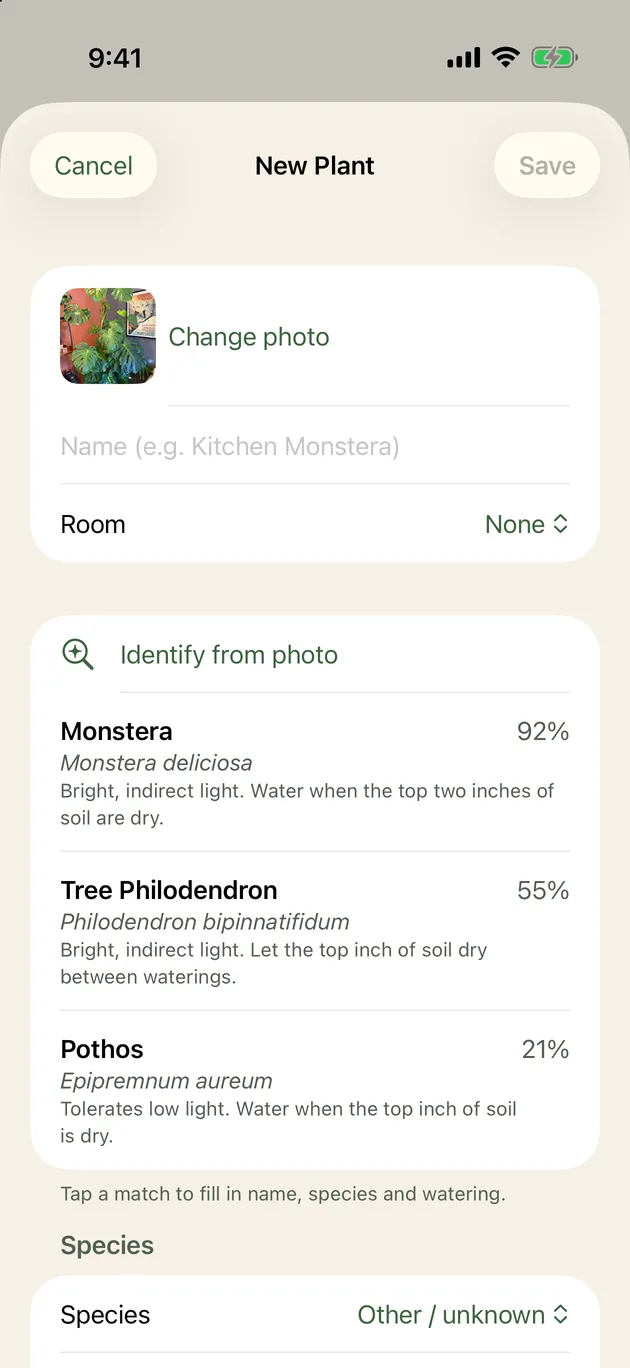
With Plus: identify from a photo, then tap a match to fill in the name and care.
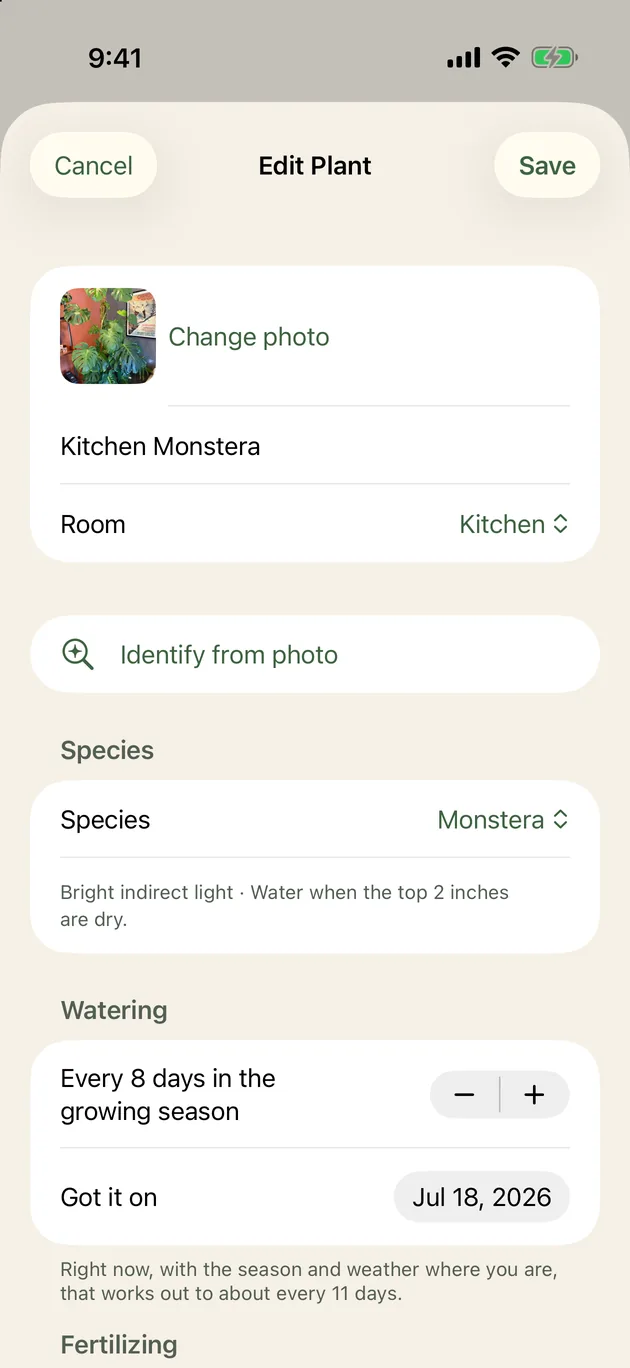
Schedules that follow your seasons and local weather.
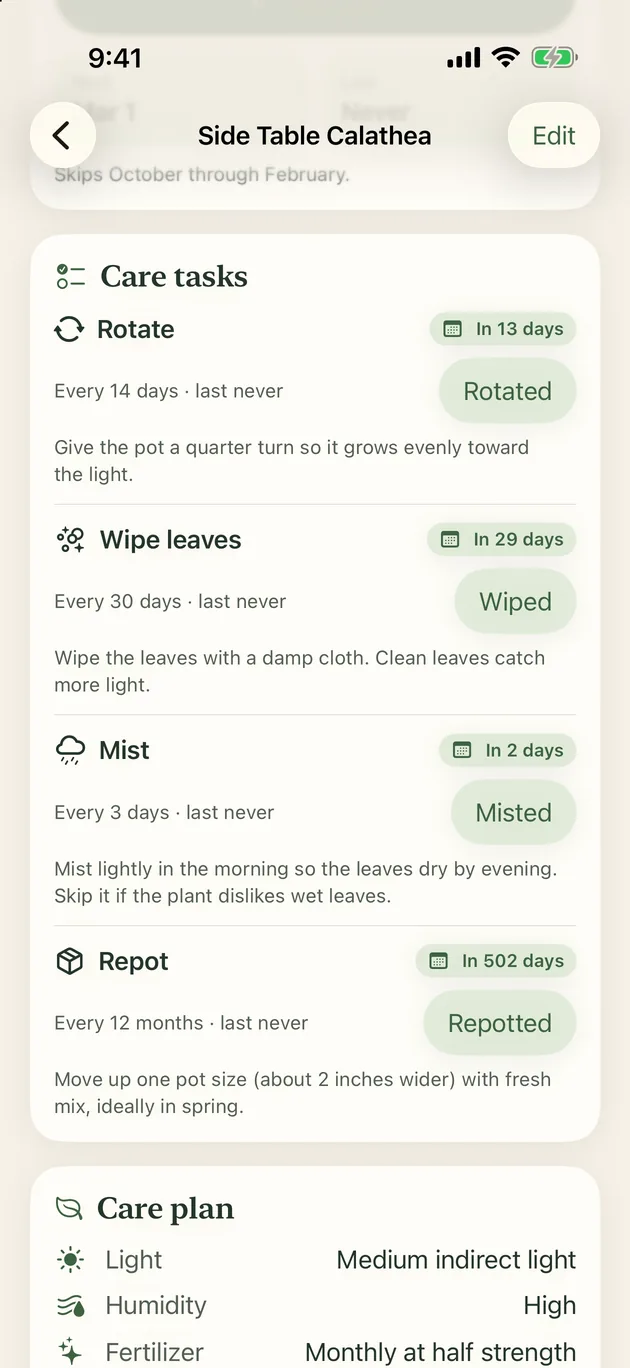
Rotate, wipe, mist, prune and repot, each on its own rhythm.
A rhythm that listens
Water when your plant needs it, not when a calendar says so.
Plants drink less when days grow short and more in a heat wave. Share your approximate location once and Plant Buddha adjusts for your local seasons and weather. Nudge it with "Not yet" and it quietly learns how you water.
- Seasons and weather built into every schedule
- Gentle reminders, one per task or one calm daily summary
- A Today widget with a water button right on your Home Screen
Ask anything
A friendly guide for the "wait, what's happening?" moments.
A leaf is curling. There are little spots. Is that normal? Snap a photo of the leaf for a gentle diagnosis, or just ask about a plant and get an answer that knows its schedule and recent care.
- Diagnose a leaf from a photo
- Chat about any plant in your collection
- A health history that keeps each diagnosis for next time
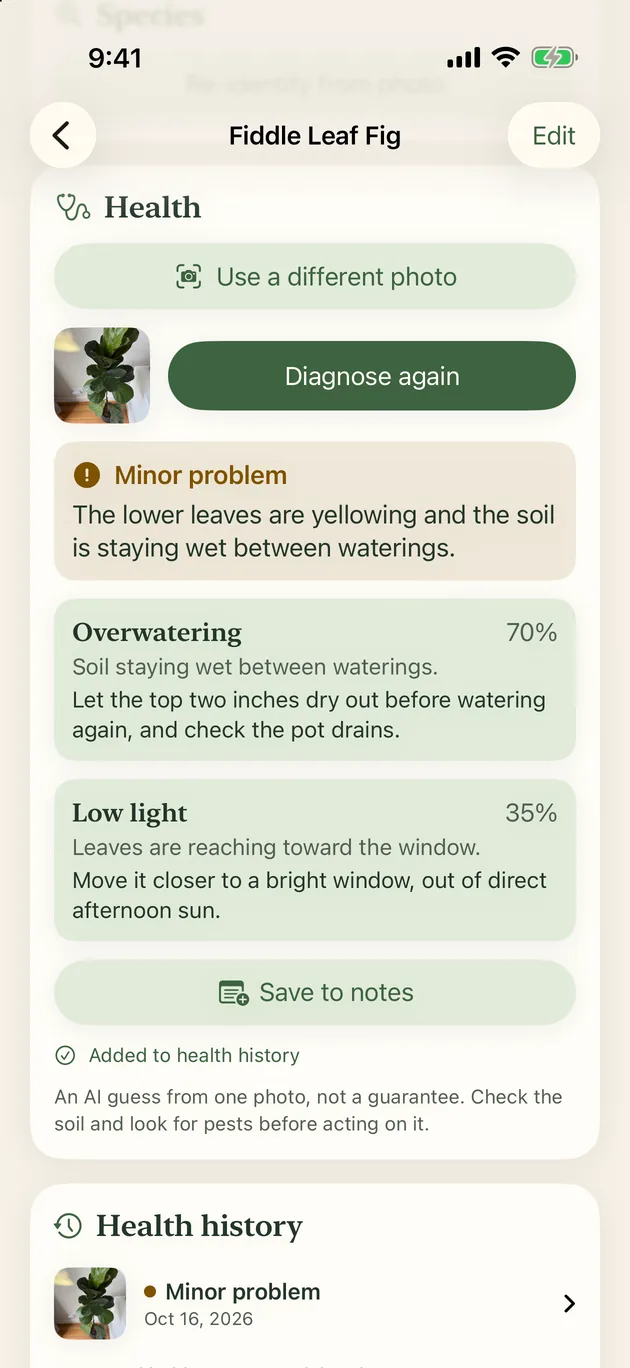
With Plus: check a leaf and get a gentle diagnosis.
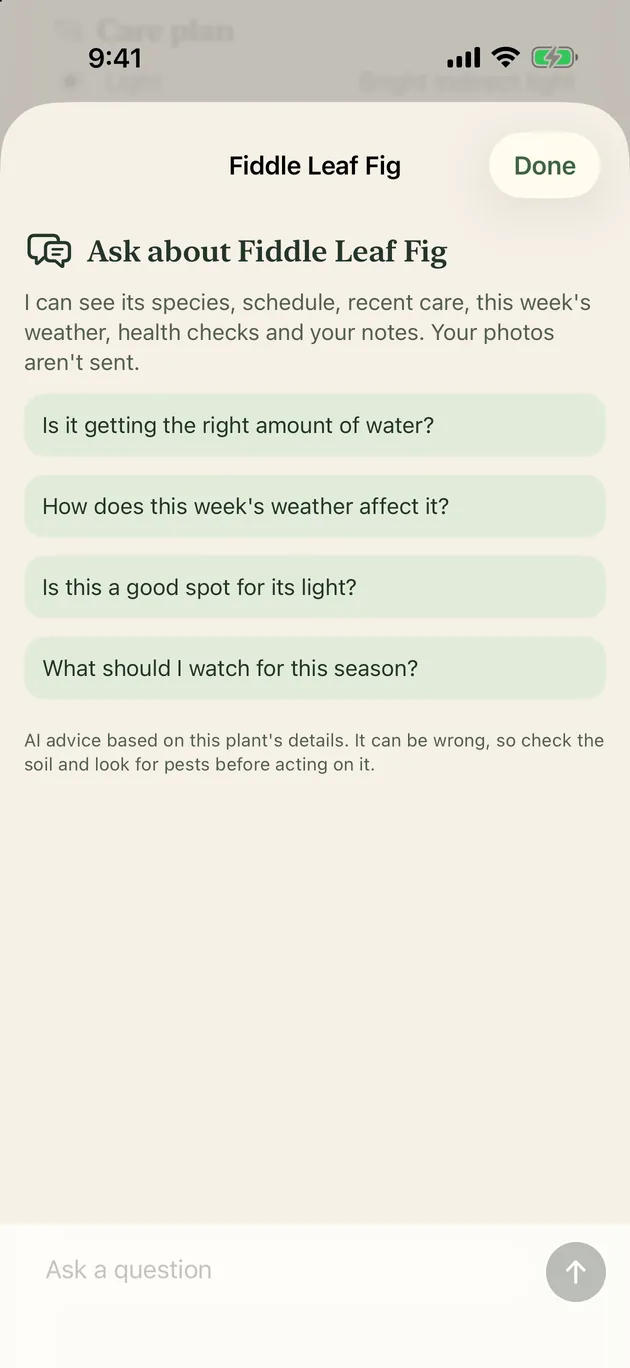
With Plus: ask about a plant and get answers that know its history.
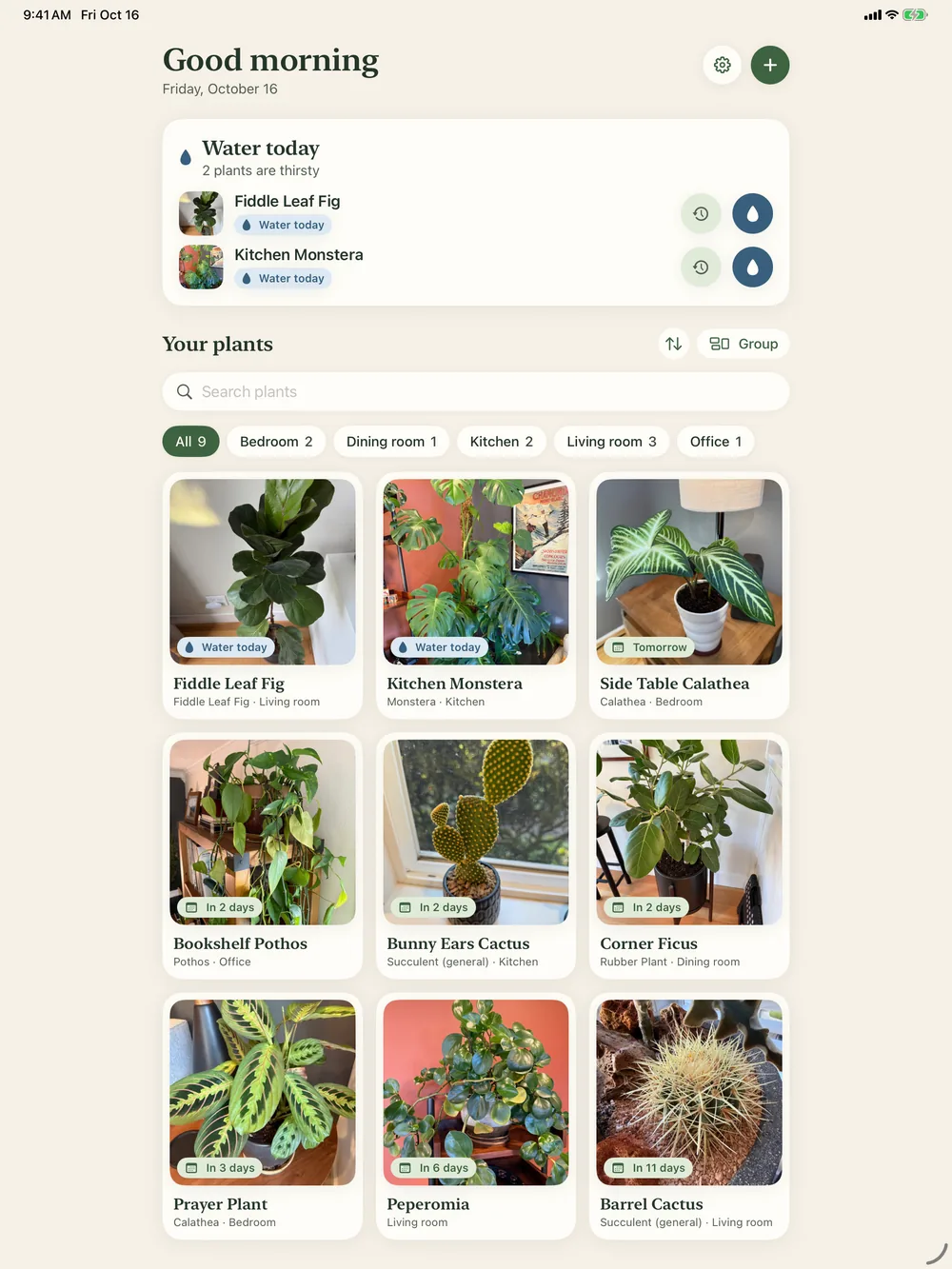
Roomy on iPad
Your whole jungle, on a bigger window.
Plant Buddha is made for iPhone and iPad. On iPad your plants spread out into a generous photo grid, in any orientation, and everything works the same way: water, feed, check a leaf, ask a question.
- Plant photos shown big
- Works in portrait and landscape, and in Split View
- Your Home Screen widget works on iPad too
- On iPhone Duo, open it like a book and Home becomes two pages
Screens on this page show sample plants and sample AI results.
Everything in one calm place
All the little things, handled.
Watering is just the start. Plant Buddha keeps every kind of care in one gentle rhythm.
Watering
Per-plant schedules that flex with season and weather, with a "Not yet" button for when the soil says wait.
Feeding
A "Time to feed" card appears in the growing season and rests in winter. No more guessing.
Rotate, wipe, mist, prune
Small care tasks with their own rhythm per plant. Add your own for anything unique to yours.
Repotting
Know when a plant has outgrown its home, seasonally timed so it lands at the right moment.
Rooms
Organise by room, filter at a glance, and search or sort your whole collection.
Pet-safe filter
Quickly see which plants are friendly for furry family members, and check the details for peace of mind.
Away mode and sitter guide
Going on holiday? Create a printable guide for your plant sitter, with photos and your notes. Reminders wait for your return.
Home Screen widget
See what's thirsty and tap to water without even opening the app.
Siri and Shortcuts
Say "Water the monstera in Plant Buddha" or ask what needs water today. It works without opening the app.
Recently Deleted
Deleted a plant by mistake? It stays in Recently Deleted for 30 days, with its photos and history, so you can bring it back.
Backup you can trust
Back up and restore your plants any time. iCloud sync is on the way.
Simple and honest
The basics are free. The AI helper is Plus.
Your plants, watering schedules, reminders and care tasks are free, always. Plant Buddha Plus adds the AI helper that identifies plants, checks leaves and answers your questions. It costs real money to run, so Plus is $0.99 a month or $9.99 a year, with a free one-week trial for new subscribers. No ads, no tricks.
How we handle your photos
Photos and plant details are sent to our AI only when you ask for help, such as identifying a plant, diagnosing a leaf or chatting. The app asks for your permission before the first one, and you can change your mind any time in Settings.
Your location is rounded to about 10 km, which is plenty for weather.

Come grow with us.
Plant Buddha is on the App Store for iPhone and iPad, and it’s free to download. Your plants, schedules and reminders cost nothing, and Plus adds the AI helper. While you settle in, the journal is full of friendly plant-care basics.